Workflow Manager
Corrective actions that close properly.
Each nonconformance, CAPA, audit, change and document review runs on a staged template. Every stage has a deadline, an owner and, where it matters, an approval.
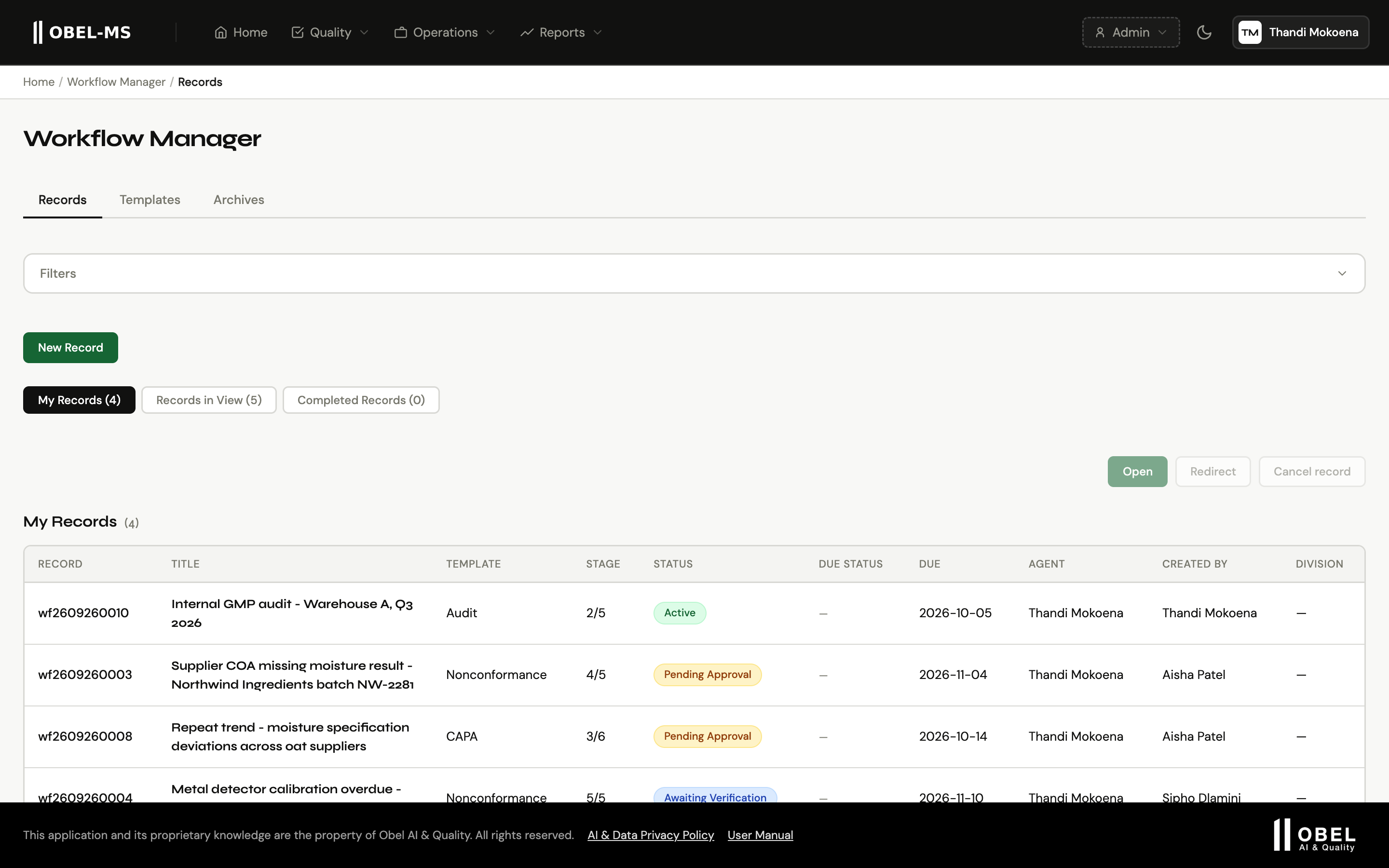
A real Obel-MS screen with example data.
Five templates on day one
Start with the processes auditors ask about.
Nonconformance, CAPA, Audit, Change Control and Document Review each come with stages, deadlines and instructions for every stage. Four of them end with an effectiveness check.
The template designer
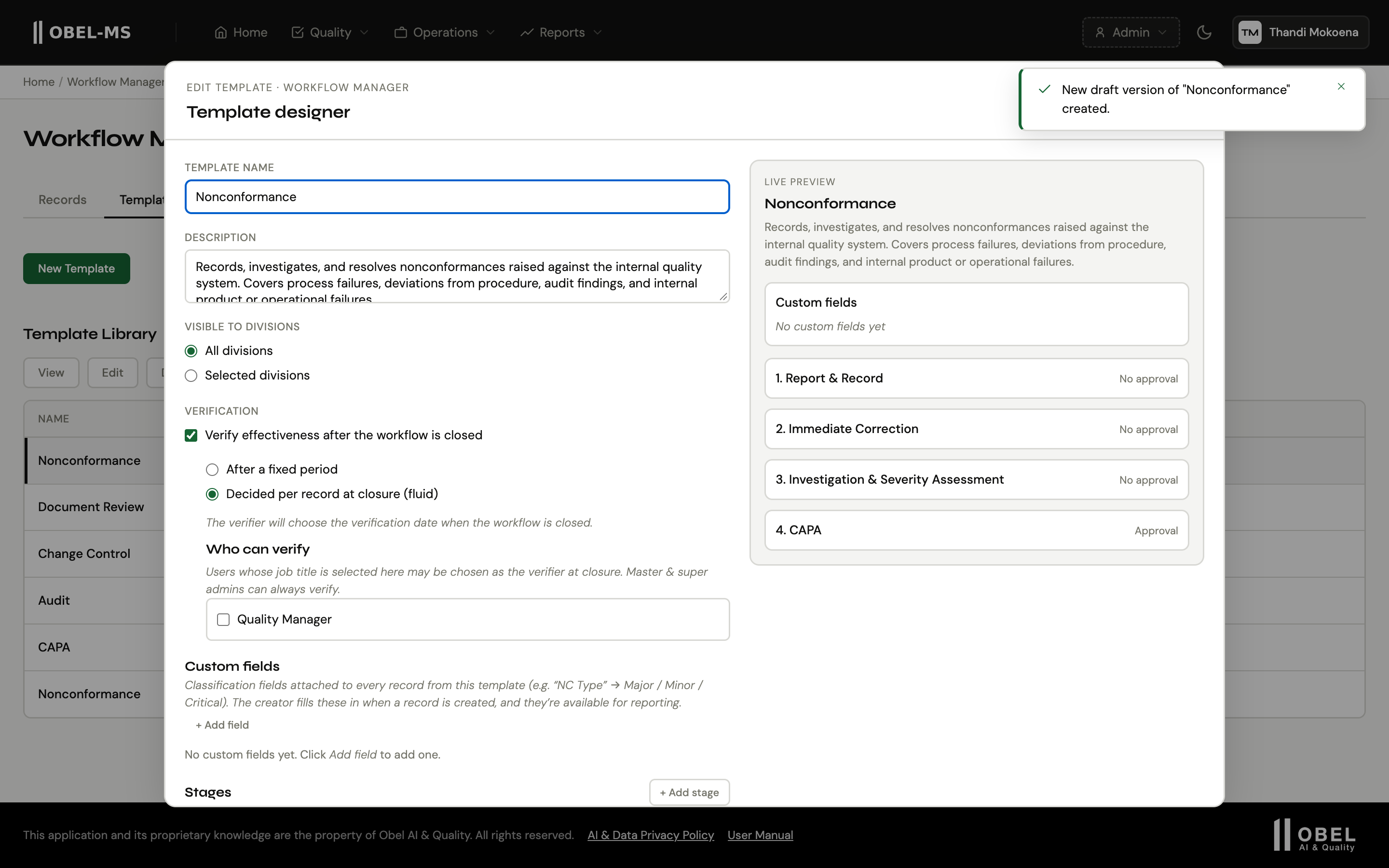
Make each template fit how you work.
Add or reorder stages, write the instructions, set a deadline and choose who approves. You can also build your own templates from a blank page.
Every record
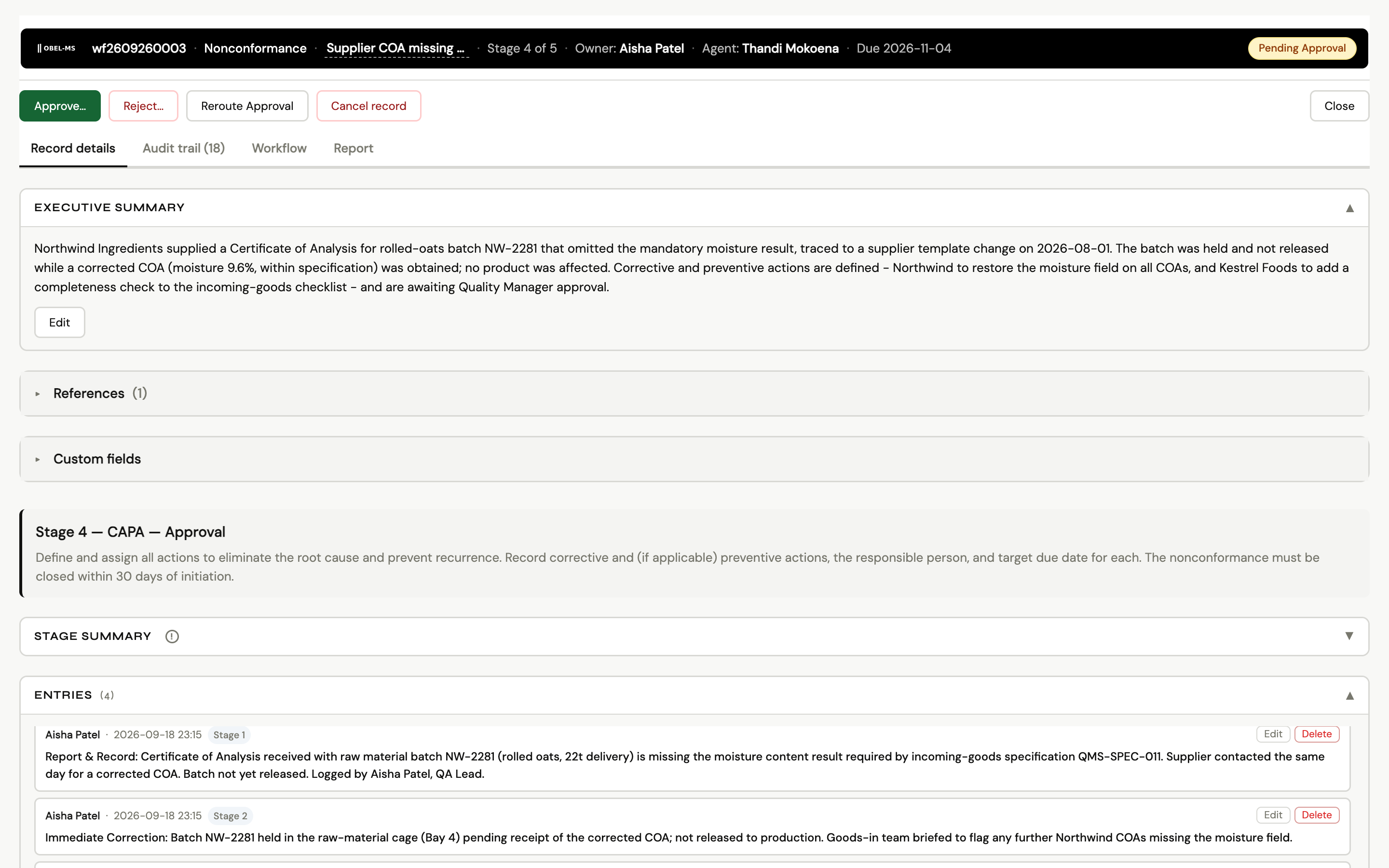
Stage, owner, due date and history in one place.
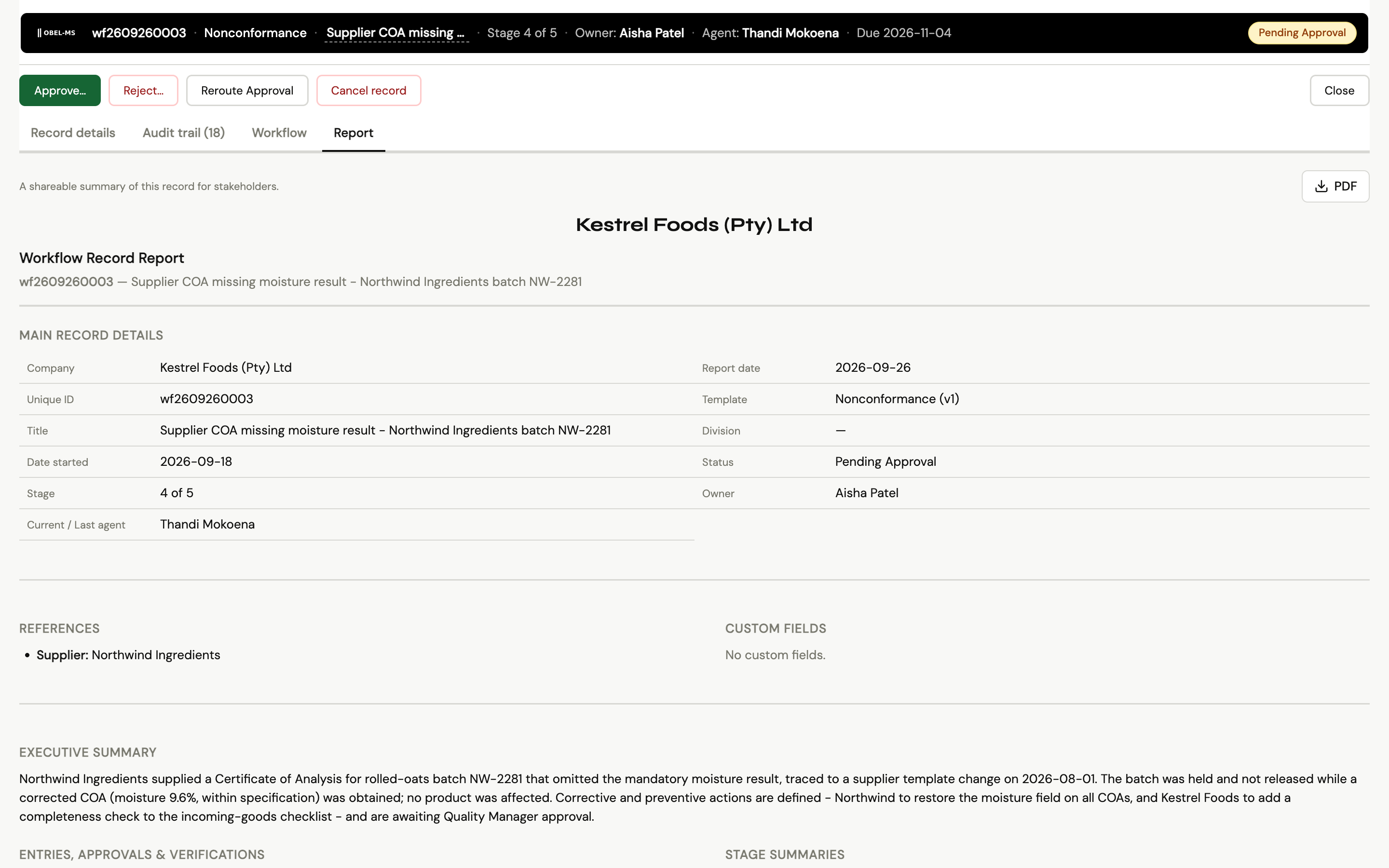
The header shows the template, the current stage, the owner, the agent and the due date. The tabs hold the record details, the audit trail, the workflow and a PDF report.
When a stage needs sign-off, the approver sees Approve and Reject, and adds a comment.
Closing the loop
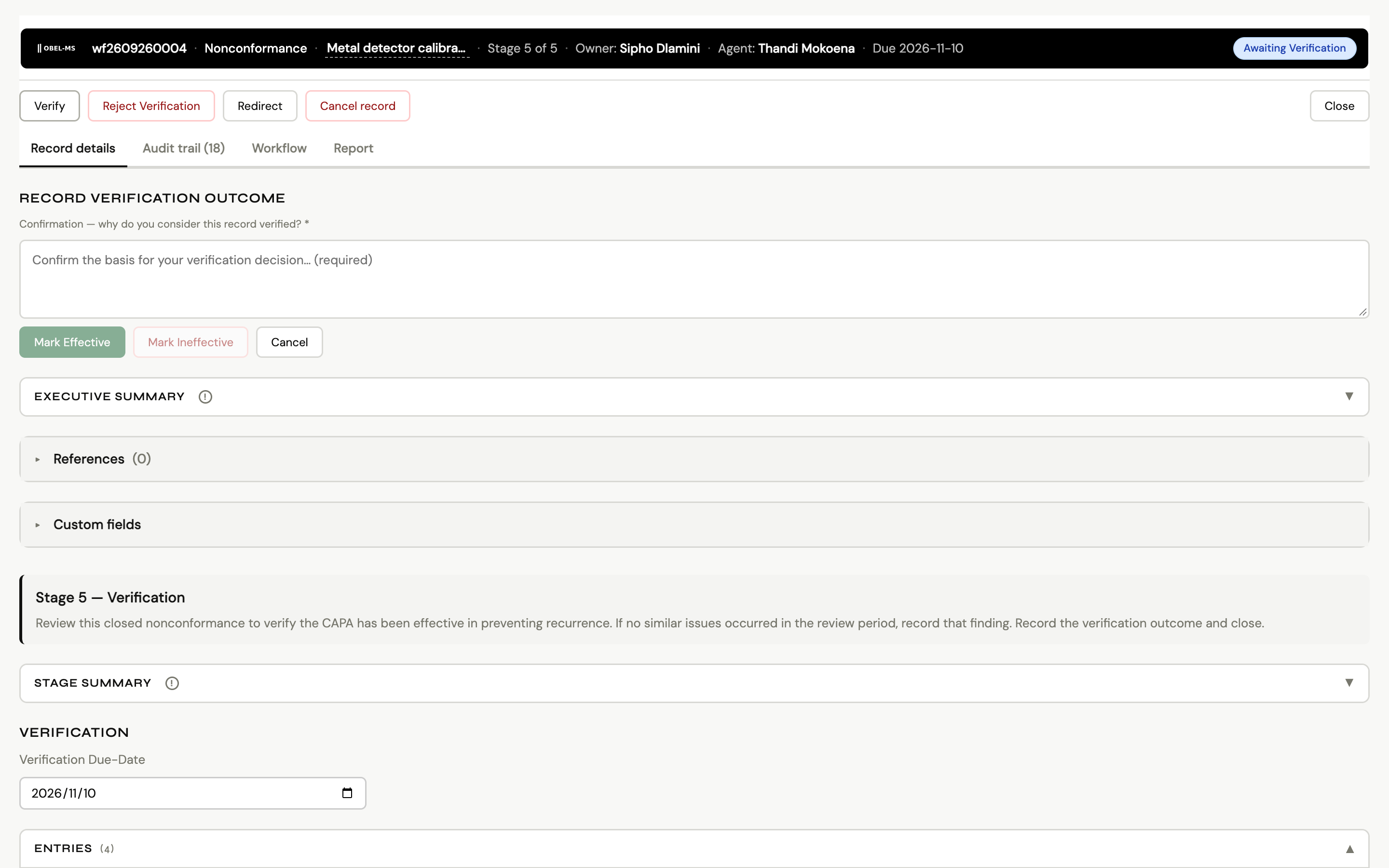
Check that the fix worked.
After the corrective action, the record waits for its verification date. The verifier reviews the evidence and marks the action Effective or Ineffective. An ineffective result reopens the record.
AI drafts, people approve
Summaries your team edits and approves.
Obel-MS drafts stage and executive summaries from what is on the record, including attachments. Your team edits and approves each summary before it goes into a report.
Deadlines
Overdue records are checked every hour.
An hourly job checks every record against its due date. Overdue and assignment notices go out by email and to Microsoft Teams, so a stalled record gets attention the same day.
Reports
See what is overdue, and whether the fixes worked.
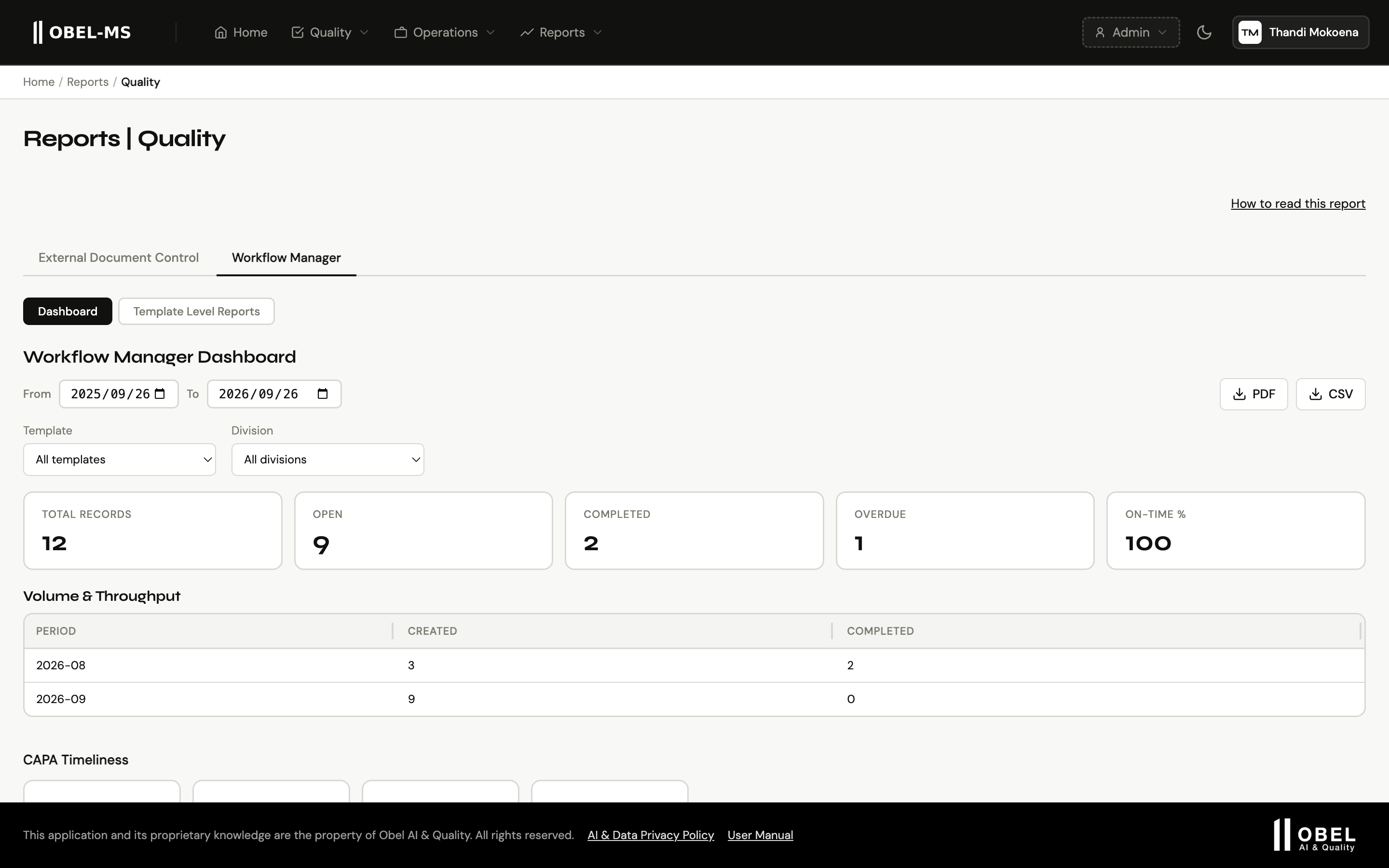
The quality dashboard shows CAPA timeliness, verification effectiveness, severity, sources and hotspots. The leadership view tracks overdue stages over time.
What auditors see
A report for every record.
Each record has a report with its details, references, executive summary, entries, approvals and verification. Download it as a PDF for the audit file. The audit trail logs each stage change, approval, entry and attachment with its date and time.
Guides on this topic
- Nonconformance and corrective action for small companiesThe difference between a nonconformance, a correction and a corrective action, and a lean CAPA process that closes properly.
- ISO 9001:2026: what changed for document controlWhat ISO 9001:2026 changed, the transition timeline for your 2015 certificate, and what it means for clause 7.5 document control.
- Spreadsheets vs QMS software for ISO 9001An honest comparison of running document control in spreadsheets and shared drives against dedicated QMS software.
Give corrective actions a place to close.
Workflow Manager is part of the Professional plan, from R7,950$549€489£439A$829 a month excl. tax, hosted in the Google Cloud region you choose. We help you migrate your open registers.
Or email chat@obel-ai.com